
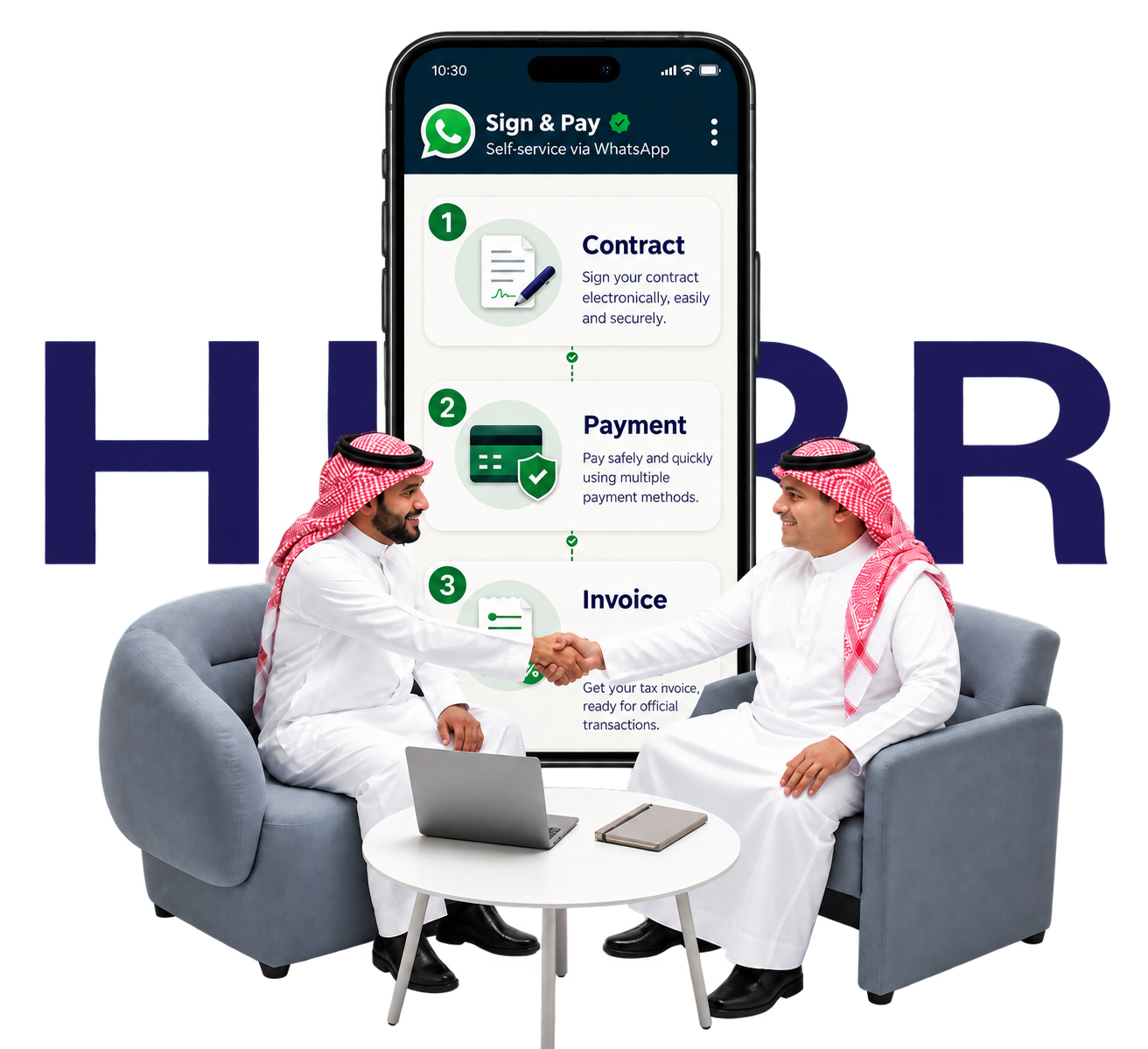
Already agreed on the work? Make the terms clear.

Hurr helps both sides document their agreement, sign online, and pay through WhatsApp, whether the provider is in Saudi Arabia or abroad.

Hurr holds the project value until delivery and client approval.

Service video

See how Sign & Pay works

See how project details, signing, payment, and the tax invoice come together in one video.

electronic contract Secure payment Tax invoice

Concerns on both sides

Concerns on both sides before work begins.

When the details are spread across messages, each person can remember them differently. Write down the scope and amount first, then keep signing and payment clear for everyone.

01 Project Owner concerns

When will the provider get paid?

  • Do I pay before I see the work?
  • Are the scope and budget clear?
  • How do we handle payment if the provider is abroad?
How Hurr helps The project details go into the contract. Hurr holds the project value until delivery is requested and you approve the work. Then Hurr transfers the payment to the freelancer, whether they are in Saudi Arabia or abroad.
02 Freelancer concerns

Before you begin, agree on the work and payment.

  • What exactly should I deliver, and when?
  • How can we document the agreement before I begin?
  • When will the payment reach me?
How Hurr helps Both sides sign the same agreement before work begins. Hurr transfers the freelancer’s payment after delivery and the Project Owner’s approval, whether the freelancer is in Saudi Arabia or abroad.

From agreement to delivery

Here’s how it works.

No need to prepare a contract from scratch. Start on WhatsApp, add the agreed project details, and each person completes their part.

Start the service
  1. 01

    Start on WhatsApp

    The Project Owner or Service Provider starts the contract request.

  2. 02

    Add the project details

    Set out the work, budget, and key points you have agreed on.

  3. 03

    Review and sign

    The contract goes to both sides for electronic signatures before work begins.

  4. 04

    Complete the payment

    The Project Owner pays. Hurr holds the project value while the work is underway.

  5. 05

    Deliver the work and release payment

    Once delivery is requested and approved by the Project Owner, payment is released to the Service Provider.

When it’s a good fit

Found the right person? Hurr helps organize the rest.

Sign & Pay is for people who have already agreed on the work and price, and want a clear contract and payment process.

In Saudi Arabia or abroad

Use the service with a client or provider based in Saudi Arabia or another country.

Even without Hurr accounts

Neither side needs an existing account before starting the contracting steps.

For a project or monthly work

Document scope and budget for short tasks or longer projects.

Before you begin

Questions people ask about Sign & Pay

Here are the details about fees, signing, and how payment works.

What is Sign & Pay?

Sign & Pay by Hurr helps the Project Owner and Service Provider create an electronic contract, record the project details, sign, and complete payment through WhatsApp. Hurr holds the project value until the provider requests delivery and the Project Owner approves receipt.

When is payment released to the Service Provider?

After the Service Provider requests delivery and the Project Owner reviews and approves the work.

Can I use it with someone outside Saudi Arabia?

Yes. You can use the service with a Project Owner or Service Provider in Saudi Arabia or abroad.

Do both sides need a Hurr account?

No account is required beforehand. You can start on WhatsApp, and any required account is created as part of the contracting flow.

How much does the service cost?

The contract creation fee is SAR 66, plus a transaction fee of SAR 3.75 + 3% of the project value.

Do we need to print and sign a paper contract?

No. The contract is created and signed electronically within the service steps.

Ready to get started?

Start with a clear agreement.

Create the contract, sign online, and complete payment through WhatsApp.

Start the service